Help Document
INDMEM 2.5/3.5‑inch SATA & M.2 NVMe & M.2 SATA Hard Drive Duplicator User Manual
INDMEM K10735N 2.5/3.5‑inch SATA & M.2 NVMe & M.2 SATA Hard Drive Duplicator User Manual
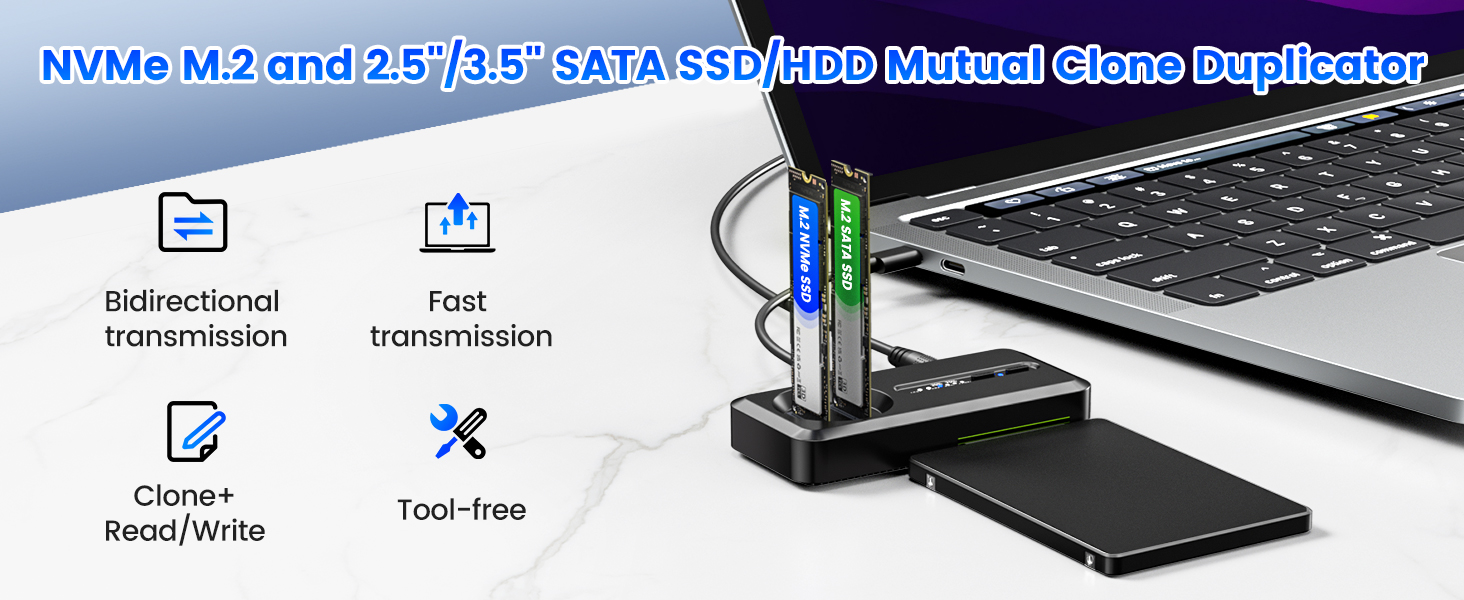
INDMEM K10735N multi‑protocol hard drive duplicator docking station supports M.2 NVMe SSD, M.2 SATA SSD and 2.5/3.5‑inch SATA HDD/SSD. It supports computer read‑write function and hardware offline sector‑by‑sector clone function.
Product Specifications
Supported Drives: M.2 NVMe SSD, M.2 SATA SSD, 2.5/3.5‑inch SATA HDD & SSDM.2 Size: 2230 / 2242 / 2250 / 2280 / 22110
External Interface: Type‑C
Power Supply: DC 12V
Function: Data read‑write, offline 1:1 hard disk clone
Supported OS: Windows, Mac OS, Linux
Hardware Interface & Indicators
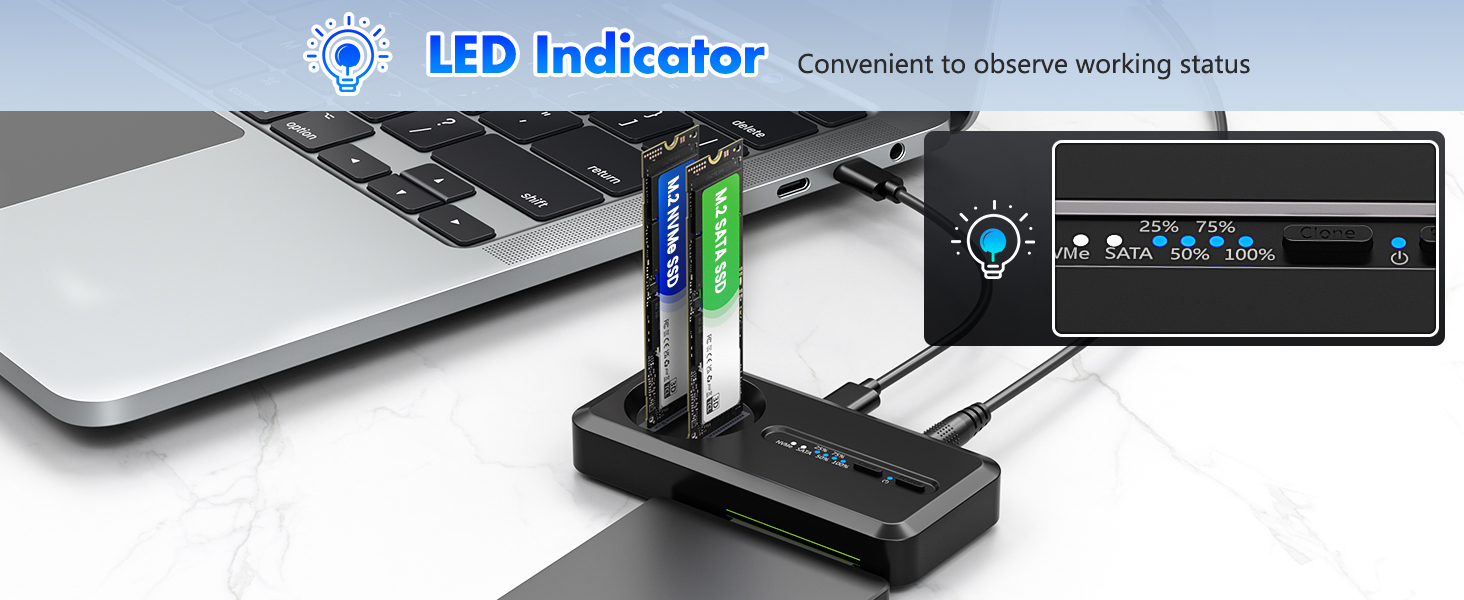
Slots: M.2 NVMe slot, M.2 SATA slot, 2.5/3.5‑inch SATA hard drive interface
Buttons & Switch: Power button, Clone button, Hard Drive Clone Mode Switch
LED Indicators: Power indicator, M.2 NVMe SSD indicator, M.2 SATA SSD indicator, 2.5/3.5‑inch SATA disk indicator, Cloning Progress Indicator
Operating Instructions
Read‑Write Mode
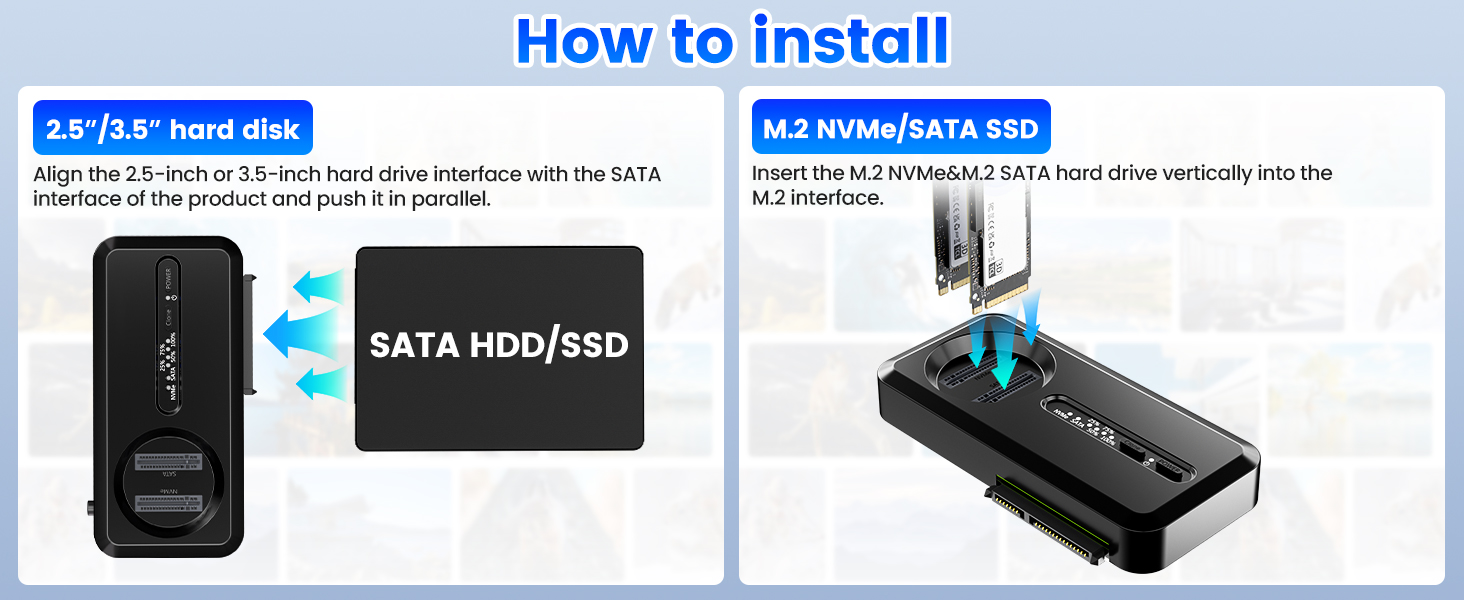
- 1. Insert hard disks into corresponding slots.
- 2. Connect Type‑C cable to PC, and connect DC 12V power adapter.
- 3. Turn on power. Used hard disks can be read and written directly.
- 4. For brand‑new hard drives: Please complete initialization, partition and formatting in Disk Management.Partition suggestion: Select MBR for capacity ≤2TB; choose GPT for capacity over 2TB.
Offline Clone Mode
Important reminder: Please back‑up data of target disk before cloning. Cloning will overwrite all data on target disk. Target disk capacity must be greater than or equal to source disk capacity.
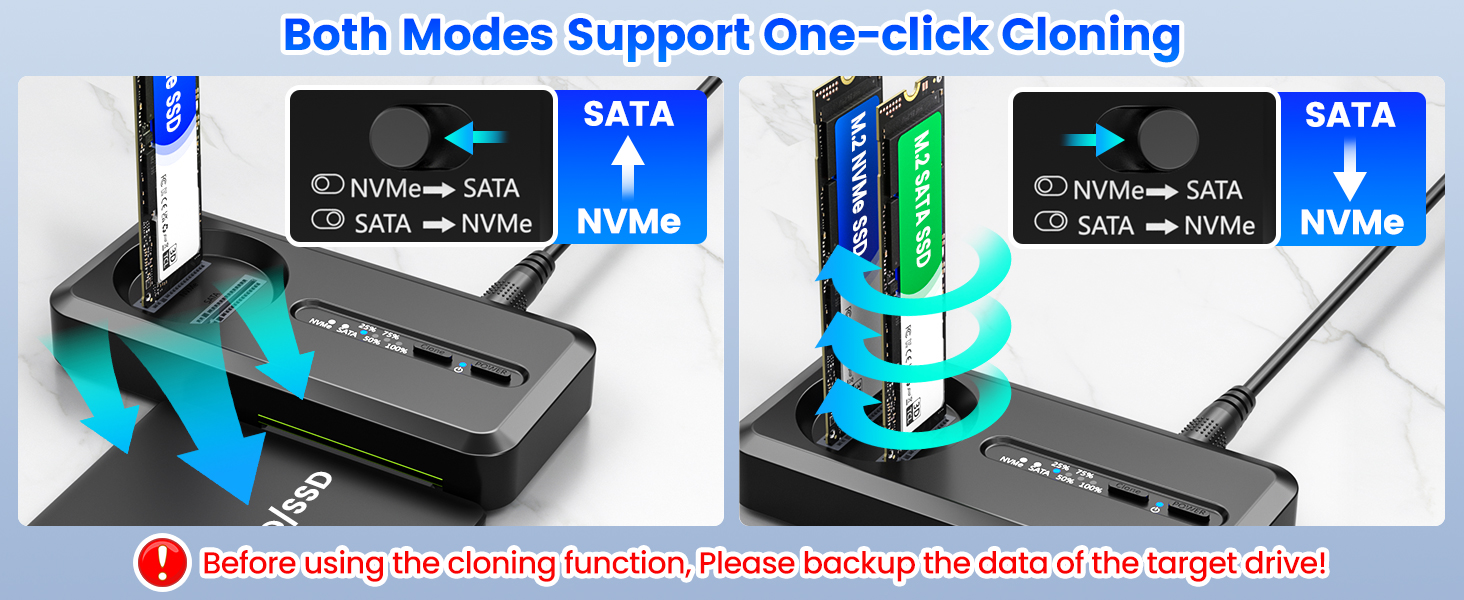
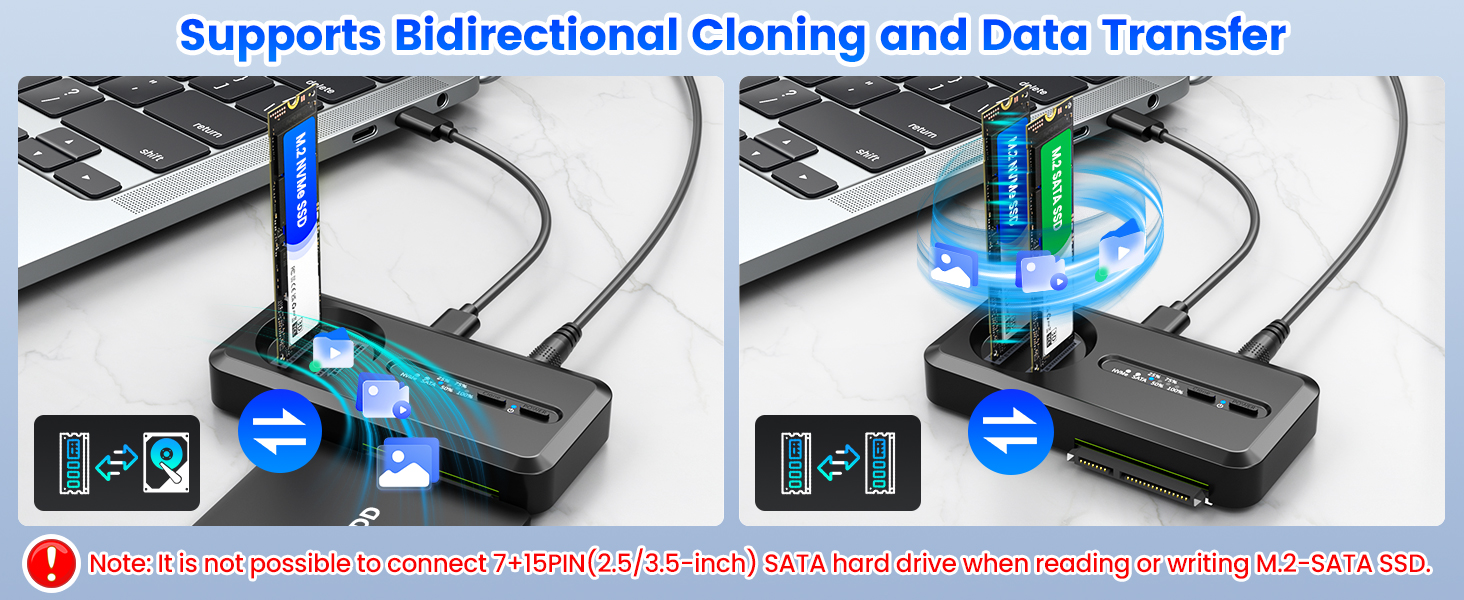
- 1. Insert source disk and target disk.
- 2. Adjust clone‑mode switch to select correct clone direction.
- 3. Only connect DC‑12V power adapter, disconnect Type‑C cable from computer.
- 4. Press clone button to start offline cloning. Check working status via clone progress indicator.
- 5. Do not remove hard drives or cut off power supply during cloning.
Important Notes
Disconnect Type‑C PC cable when performing offline clone.
Do not unplug hard disk or power off device while cloning is in progress.
Visit https://www.amazon.com/Offline-Enclosure-Adapter-Standalone-Duplicator/dp/B0FX9NFWB5?ref_=ast_sto_dp for FAQs and technical support.
 Send Email
 JCcms
JCcms JCcms
JCcms